What manufacturing simulation software is for
A plant already knows a great deal about its line. The historian records every stop, the loss tree attributes the minutes, and OEE grades each shift against the plan. All of that describes what happened. None of it can tell you what a change will do, whether that’s a buffer you haven’t installed, a line speed you haven’t run, or a failure mode you haven’t eliminated yet.
Manufacturing simulation software answers those what-if questions about a production system before you spend money on them. Which machine is actually costing throughput? Is the fix at the top of the Pareto worth more than the one below it? How big should the accumulation table be? Would a second capper pay back, or would better reliability on the first one do the same job for less?
Those questions are hard because machines on a line are coupled. A stoppage on one blocks the machines upstream of it and starves the ones downstream. Buffers absorb some stops and not others, and the cost of any single loss depends on where it sits. A spreadsheet adds losses as if they were independent, and arithmetic on averages overstates what a line will produce. A simulation plays the line forward through time, so that interaction emerges from the model instead of being assumed away.
Why high-speed lines break item-based simulation
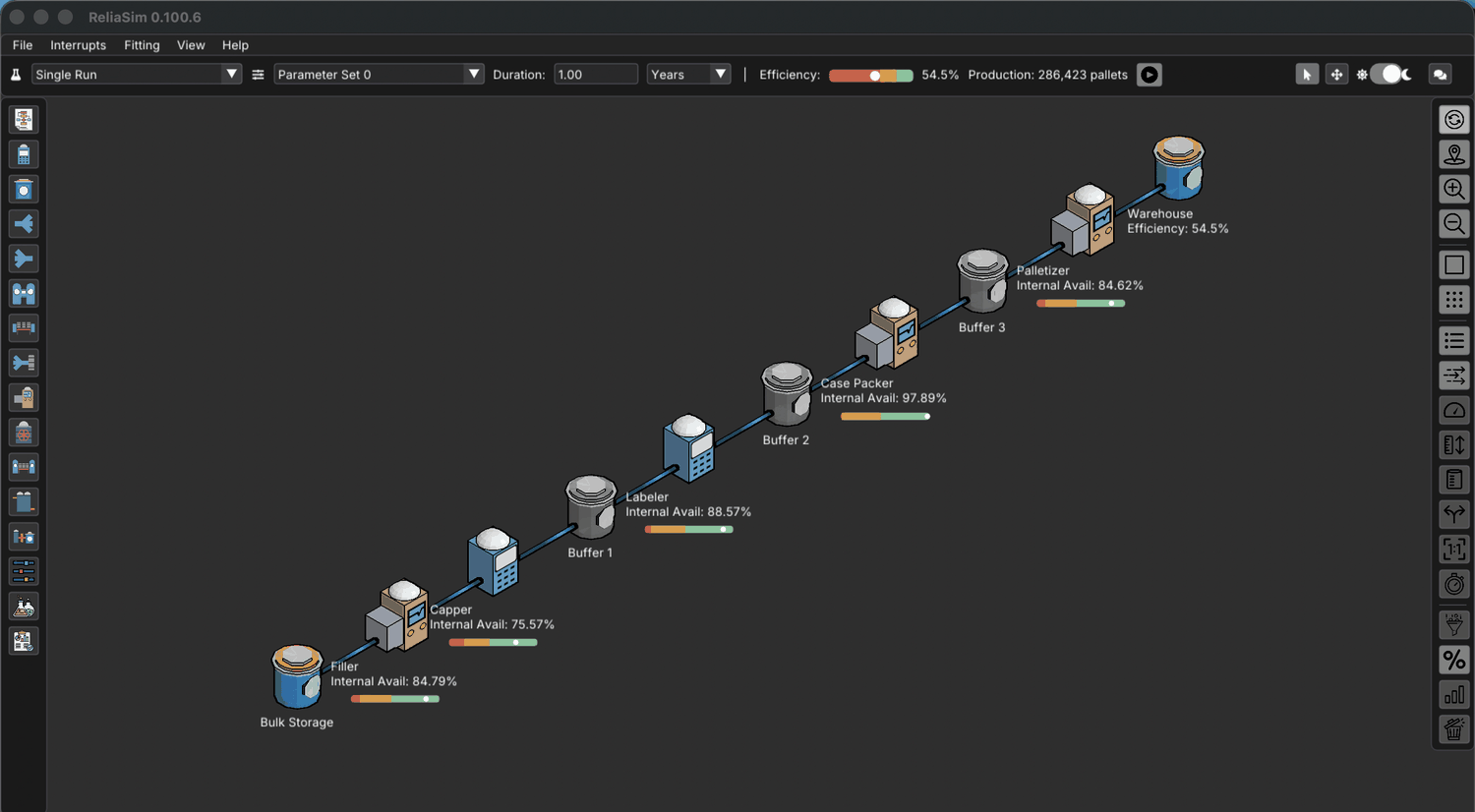
Most general-purpose simulation tracks every item as its own entity, which is the right design for a job shop. Point it at a filler running hundreds of units a minute and the model has to move every unit individually. ReliaSim models material as flow instead, the idea Andrew Siprelle arrived at in 1990 as “bulk flow.” The engine only works when a rate changes, so run cost follows how often rates change, not how many units the line makes. A full year of the five-machine demo bottling line simulates in about a third of a second. The full argument is on capabilities and at discrete rate simulation.
Item-based versus rate-based, on a high-speed line
| Question | Item-based (discrete event) | Rate-based (ReliaSim) |
|---|---|---|
| What the engine tracks | Every unit as an entity | Flow rates, and the events that change them |
| Cost of higher line speed | More entities, longer runs | Unchanged, since rate is a parameter |
| What drives run time | How many units are made | How often a rate changes |
| Experiment size in practice | The few scenarios someone picked | Exhaustive sweeps of thousands of runs |
| Best fit | Job shops, routed parts, item identity | Filling, packaging, bulk and continuous flow |
How ReliaSim models a production line
A model is built from a deliberately short vocabulary of constraints, converters and buffers, with every failure mode carried as its own interrupt. The capabilities page describes it in full. Models are text-based, so they diff and version like source code.
Build, validate, predict
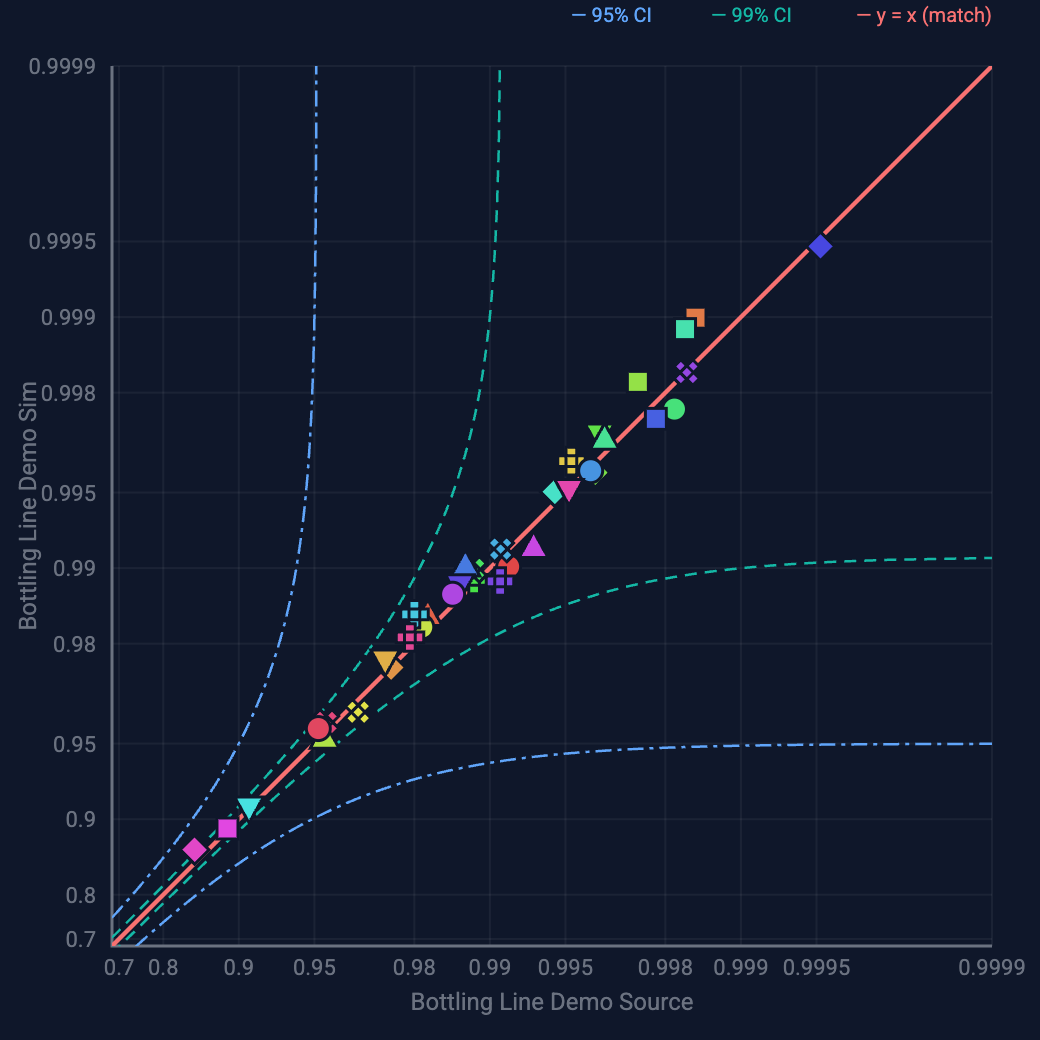
The ReliaSim method is a fixed sequence. Build the line as it actually runs and parameterize each failure mode. ReliaStats fits the distributions from event data (downtime data analysis), or you use the Interrupt Designer for a line that doesn’t exist yet. Validate against the historian failure mode by failure mode, not just in total. Bivariate validation ships with every license. Only then do you predict, by changing one thing and re-running the whole system so the answer includes every knock-on effect.
Validation evidence you can check
Most simulation accuracy claims rest on a vendor’s word, but this one rests on a paper. A model of a multi-line food plant, published in a peer-reviewed Winter Simulation Conference paper, comes within 1% of measured OEE, and its ReliaSim rebuild is independently validated to the same bar. The full account is in the published OEE validation case study.
What you can ask of it
Where is the real bottleneck?
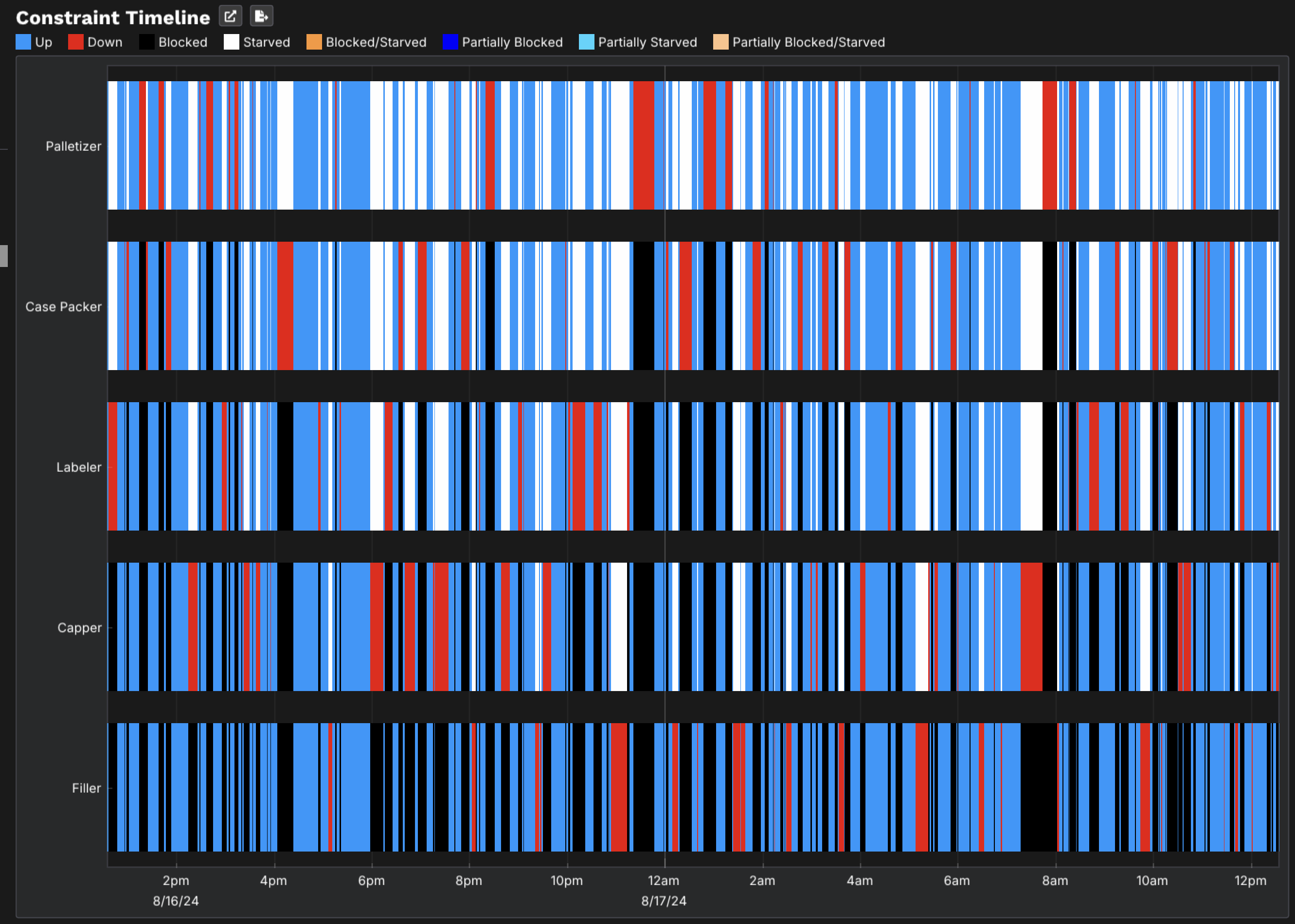
The constraint timeline shows which machine is limiting the line at each moment, and it’s rarely one fixed station. Finding the hidden bottleneck · theory of constraints simulation.
How big should the buffer be?
Sweep capacity with every interrupt in play and see where the curve bends. How big should a buffer be?
Which failure mode first?
Remove each one, re-run, and rank by throughput recovered instead of minutes lost. Which loss to fix first
What will this do to OEE?
Predict line OEE for a change before you make it, from per-machine interrupt data. OEE simulation
Faster, or more reliable?
Running faster makes more product and causes more failures, so there’s an optimal speed. Five decisions every line faces
Block diagram, or simulation?
Multiplying availabilities assumes machines fail independently, and buffers break that assumption. RBD vs simulation
Because runs are cheap, you can answer those questions exhaustively instead of for three hand-picked scenarios. The buffer sweep is one example. Every run starts from a fixed seed, so the same question asked twice gives the same answer. With the AI / MCP add-on, you can also ask the model questions in plain language, and every figure in the reply traces back to an engine run.
Industries and results
Rate-based simulation applies wherever material moves as flow instead of as a queue of parts. The method behind ReliaSim has been used by production teams in more than 300 organizations since the early 1990s, across food & beverage, packaging & CPG, chemicals, oil & gas, pharma & life sciences, electronics & automotive and aerospace & defense.
- A bottling line finds $1.5M in hidden throughput by re-ranking two failure modes its loss report calls equal.
- A specialty olive packer recovers 15% more throughput with no new equipment once the model shows the binding constraints are downstream in packaging.
- A soap plant consolidation model catches a configuration that would need a $4M retrofit, before the plant is built.
Much of that work predates ReliaSim as a product, and each case study says which tool ran the model. See all case studies.
Desktop, air-gap compatible, yours
ReliaSim runs on Mac (Apple Silicon) or Windows 11. Models, historian extracts and results stay on your machine, inside your firewall. Only license and version checks touch the internet, and those can be deferred for air-gapped sites. There’s no SaaS version, by design, and the security page covers what IT reviewers ask. A model built on a licensed seat can be opened and run by anyone using the free demo, so a plant manager or a capital review board can check the scenarios themselves.
When you need something else
ReliaSim is opinionated, and it isn’t the right tool for every simulation problem.
- Job shops and routed parts. If the question depends on the identity of individual items, such as complex per-part routings, serial-number tracking, or sequencing individual jobs through shared machines, a general-purpose discrete event tool is the more natural fit.
- 3D layout and material-handling physics. If you need to see a proposed plant in three dimensions, check clearances, or emulate robots and vehicle traffic, use a 3D layout or emulation package. ReliaSim’s animation replays model states. It isn’t a CAD view.
- Last month’s losses. That’s the loss tree’s job, and simulation is for what happens next.
- Someone to build it for you. That’s ChiAha’s manufacturing simulation consulting.
Frequently asked questions
What is manufacturing simulation software?
It’s software that builds a working model of a production system (its machines, rates, buffers and failure behavior) and runs it forward through time. You can test changes such as a new buffer, a faster line speed or an eliminated failure mode before making them on the real line.
How is ReliaSim different from discrete event simulation software?
Discrete event tools track every item as an entity, which suits job shops. ReliaSim’s discrete rate engine works only when a rate changes, so year-long runs on high-speed lines stay fast.
How accurate is it?
It matches measured OEE on a published, independently validated one-year model. See the published OEE validation case study.
What data do I need to build a model?
You need line event data (a CSV of machine stop and start times, recorded to the second), plus nominal rates and the line’s layout. Named failure modes give the most useful answers. Without history, the Interrupt Designer lets you enter failure and repair distributions directly.
Does ReliaSim run in the cloud?
No. It’s desktop software for Mac (Apple Silicon) and Windows 11. Your models and data stay on your machine, and it works on air-gapped networks.
Can I try it before buying?
Yes. The browser Sandbox shows four tiers of models, including a real bottling line, with saved engine results and no download or sign-up, and the desktop demo is free. Full licenses are annual per user (see the pricing page), and academic licenses for teaching and non-commercial research are free.
Open a production line model now
The bottling-line models in the Sandbox’s Lines tier each come with the engine’s saved results, and you can ask questions about them in plain language. There’s nothing to download and no sign-up.
Open the Sandbox → See pricingWant to see it on your own line? Schedule a call.