Production Decision Intelligence

From line event data to defensible throughput decisions
— in minutes, not months.

ReliaSim ships with the modeling team built in. No simulation department required — validated within 1% of measured OEE.

Confident choices, better outcomes.

15-minute model build Validated within 1% OEE Runs on your desktop · air-gap compatible
Independently validated within 1% OEE accuracy — Tom Lange, 36 years Procter & Gamble
Try it

The Sandbox · 8 bottling-line models

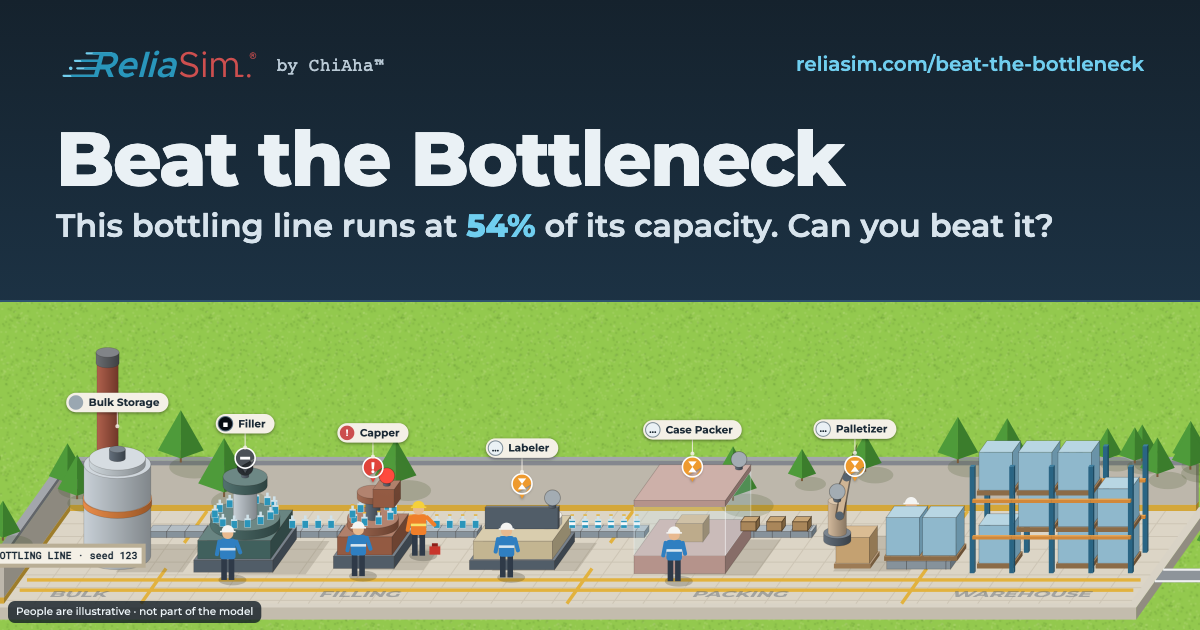
A browser-based explainer: 8 curated models from the same real bottling line, arranged across two tracks (Constraint-Level rollups vs LEDS-Level drill-downs) and four complexity steps. Numbers come from live dys-cli engine runs — no fabrication. Free to explore.

1 Constraint
Whole line as one node. Same throughput as 5-Constraint — rolling up loses none of the prediction.
5 Constraints
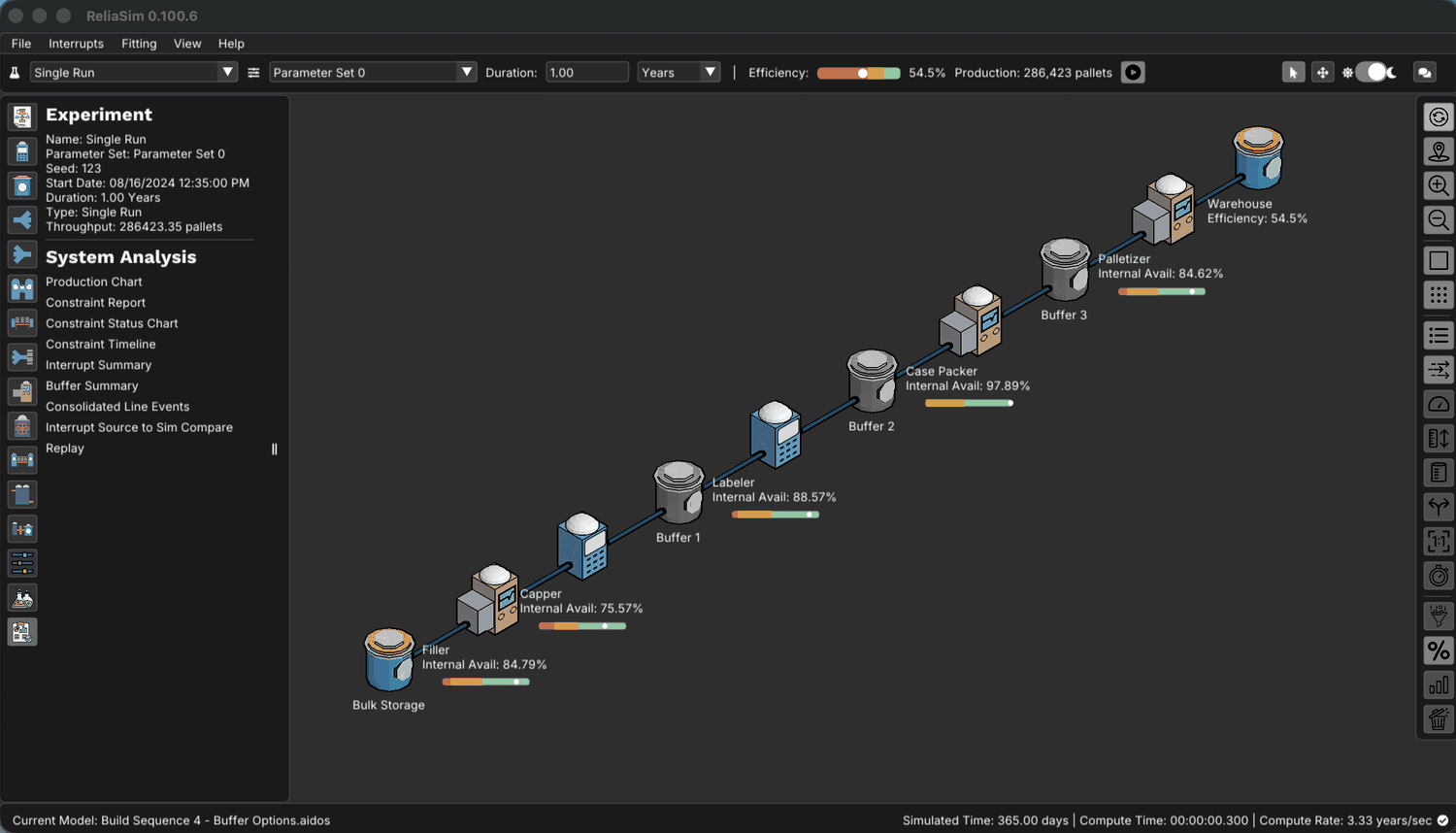
Each machine as its own node. Bottleneck identifiable per stage but interrupts still rolled up to one Weibull each.
+ Converters
Adds bottles → cases → pallets bundling. Different dynamics, output in pallets.
+ Buffer Options Multi Run
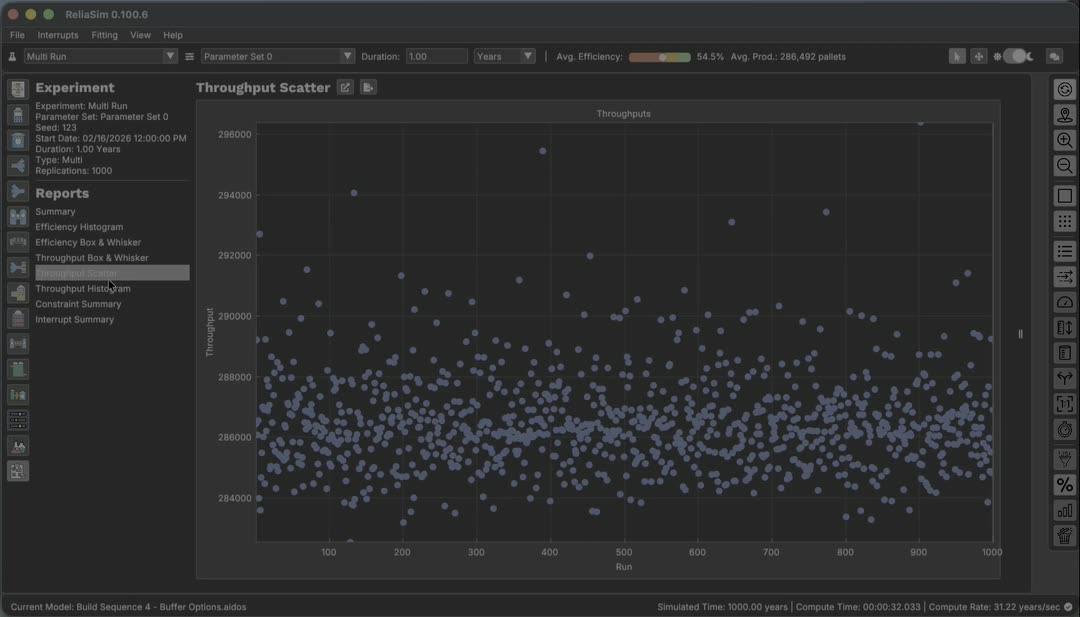
Three inline buffers + sensitivity sweep. When buffers help, when they don't.
LEDS · 1 Constraint
Same plant, 36 named failure modes from real LEDS data. Capper_Upper Plow Area dominates at 20%.
LEDS · 5 Constraints
The full 2×2 hierarchy: per-machine + per-failure-mode drill-down.
LEDS · + Converters
Converter topology with LEDS drill-down. Same Capper bottleneck, different output structure.
LEDS · + Buffer Options Multi Run
LEDS drill-down + buffer-tradeoff sweep. The full picture: where to invest at the machine level.
Open the Sandbox → Plus an AI modeling agent (Claude Sonnet 4.6) grounded in the loaded model — strict anti-fabrication, real engine numbers only.
The paradox of averages

Equal downtime. Unequal impact.
Your Loss Tree can't tell the difference.

Consider two failure modes with identical total downtime per week. Your historian treats them the same. Your Loss Tree puts them in the same priority tier. But eliminating them produces completely different system-level results — because cascading losses never appear under the original failure's name.

Scenario 1 — Timing Belt
One long stop per week
Frequency1× / week
Repair time~2 hours
120 min downtime / week
Scenario 2 — Bottle Jams
One hundred twenty short stops per week
Frequency~120× / week
Repair time~1 minute
120 min downtime / week
Your Loss Tree says: equal downtime = equal priority.
The validated simulation says otherwise. Short stops cascade: they block and starve neighbors, and every restart rolls the dice on competing failure modes. A Line Event Data System (LEDS) logs one fault at a time, so the original stop is masked — its minutes charged to the wrong failure. The smaller loss recovers five times as much throughput.
How ReliaSim sees what a Loss Tree can't

Flow-based simulation. ReliaSim models the continuous flow of material — pounds per hour, bottles per minute, the way operators actually think — and overlays every event onto that flow: every short stop, every restart, every blocked station, every starved buffer. Cascading losses emerge in the math, not in averages. The engine is fast enough to run a thousand year-long scenarios in under a minute — fast enough to test every fix you're considering, and statistically valid enough to bet capital on the answer.

See How It Works →
How the guided workflow runs

The method isn't a script — it's AI, running against your validated model

ReliaSim exposes your production model through a Model Context Protocol (MCP) server. Claude and other MCP-compatible assistants can load, inspect, simulate, and interrogate the model in plain language. You drive the conversation; the model does the math.

🔍

Inspect topology & constraints

Node types, buffer positions, interrupt configs, constraint availability — in plain language.

▶️

Run simulations on demand

Per-constraint availability, OEE, and multi-run stats instantly.

📈

Buffer analysis through time

Utilization, inflow/outflow, empty/full percentages, and throughput distributions.

📄

Diagrams & reports

Topology visuals and detailed exports — all from one conversation.

Works with Claude, any MCP-compatible AI, and Claude Code.
Bottling Line 90-day run
Online ReliaSim AI — Bottling Line Validated ✓
You
The model is validated at 53.6% OEE. Which machine should I fix first to move that number?
ReliaSim
ReliaSim
The Capper is your critical path. It logged 15,481 downtime events over 90 days — more than triple any other machine — with only 75.44% internal availability. Its downstream position means every outage starves the Labeler, Case Packer, and Palletizer simultaneously. Start there.
You
Could adding a buffer before the Capper help without touching the machine itself?
ReliaSim
ReliaSim
Yes — a pre-Capper buffer absorbs Filler surges and prevents starvation during short Capper outages. Estimated gain: +2–3% OEE at low capital cost. But the Capper's 12 active interrupt types still fire at the same rate. The buffer buys resilience; fixing the Capper's interrupts buys efficiency. Run both scenarios and compare.
Ask about throughput, buffers, interrupts, or what-if scenarios…

Responses powered by your specific validated production graph — not a generic AI.

The ReliaSim Method

The modeling team, built in

Most sim tools hand you a blank canvas. ReliaSim hands you our method — the same sequence of checks, builds, and scenarios we'd run ourselves, guided end to end by AI that knows what good looks like.

Step 1 — Ingest & Validate

Your data, hygiene-checked before the first model run.

Drop in your line event CSV. The system checks for gaps, time resolution, and fault-code hygiene before you build anything. Bad data caught before it becomes a bad model.

Step 2 — Build the Validated Model

Guided parameterization against your actual OEE.

You don't need to know which distribution fits which interrupt type — the method does. Typical build: 15 minutes.

Step 3 — Run the Decisions That Matter

The five scenarios every production system faces.

Fix priority, line speed, buffer sizing, redundancy, resupply — as structured scenarios, not blank-slate guesswork. See the five →

Step 4 — Ship a Defensible Recommendation

Your team leaves with a memo, not just a number.

Every scenario run comes with the topology, the assumptions, and the sensitivity check a capital review needs.

This is what we mean by “the modeling team, built in.” The software isn't the product. The expertise is — and it runs every time.

Built for the shop floor, not the cloud

Your process data never leaves your network.

ReliaSim is desktop-native by design. In a market rushing to move everything to the cloud, we built ReliaSim for the reality of modern manufacturing: segmented networks, isolated OT environments, and IP that should never have left the plant in the first place.

Plant Engineers & Operations

Install and run. No procurement cycle.

No SaaS vendor approval. No security review queue. No waiting on IT to greenlight a new cloud service. Download the installer, open your model, simulate in minutes.

IT & Security

No outbound data flow. Air-gap compatible.

Runs entirely on the user's machine, inside your firewall. No cloud uploads, no third-party data processor agreements, no exfiltration risk. Operates in physically or logically isolated networks — only license and version checks touch the internet, and even those can be deferred.

Executives & Legal

Your IP stays on-premises.

Your simulation models encode proprietary process knowledge — that's trade-secret territory. Keeping it local removes an entire class of vendor risk and shortens compliance review. Friendly to ITAR-, CMMC-, and GxP-bound deployments.

Air-gap compatible No cloud dependency Runs inside your firewall ITAR- & CMMC-friendly No SaaS account required
Why Validated Simulation

Spreadsheet, AI, or ReliaSim?

Three ways to answer production questions. Only one is validated within 1% of your actual OEE.

Spreadsheet / Loss Tree
  • Models averages
  • Ignores interactions
  • Static snapshot
  • Can't predict what-if
AI Alone
  • Guesses at interactions
  • No validated baseline
  • Trained on old data
  • Can't predict changes in the system
  • Breaks on real complexity
ReliaSim + AI
  • Simulates every machine event
  • Captures cascading losses
  • Validated within 1% OEE
  • AI runs the real model via MCP
  • Guided by our method — not a blank canvas
  • Refit in minutes, no retraining

That's why Claude uses ReliaSim — instead of guessing.

Decision Engine

Five decisions every production system faces. ReliaSim answers all of them.

These aren't hypothetical — they're the capital and operational questions that determine whether your next investment pays off or falls flat.

Predictable wear-out? Only 2–4% of downtime on a high-speed line. The other 95% of events aren't predictable before they happen — like bathroom stops and traffic jams on a road trip. You can't schedule around them. You have to design around them. These five decisions are how.

~1%
OEE accuracy
15 min
Model construction
1,000
One-year sims / minute
Typical ROI multiplier
300+
Organizations since 1995
Face validity vs. statistical validity

3D digital twins look like your line — and can take 6–8 hours to run a single scenario. That's face validity. For strategic capital decisions you need statistical validity: a model proven within 1% of your actual OEE, fast enough to run a thousand what-ifs before lunch. These five decisions require the latter.

Capital Decisions — high cost, irreversible
Operational Decisions — frequent, hidden impact
🔧
Which fix yields the biggest gain?
Rank by system-level recovery, not downtime hours. The biggest loss on your Pareto is rarely the biggest improvement.
Run faster or slower?
Running faster makes more product but causes more failures — and you don't repair any faster. There's an optimal speed.
📦
How much buffer?
Protect the bottleneck so upstream and downstream processes never shut it down. Too little and you starve it; too much and you tie up capital. Simulation finds the exact size.
🔁
Do we need a second machine?
Compare equipment redundancy vs. reliability improvement on equal statistical footing — before spending capital.
🔄
Manual or automatic resupply?
Shutting down a perfectly running line every 15 minutes for a manual splice? Downtime analysis says it's worth half a percent — the simulation usually says 1.5%. That's enough to justify the automatic splicer.
"The only way to predict this accurately is through simulation."
— Tom Lange, 36 years Procter & Gamble
All you need to start: line event data — a CSV of machine stop-and-start times, recorded to the second. Not summaries. Not rolled-up totals. We handle data cleaning, parameterization, and model build.
Executive Platforms Blueprint · Podcast

How data-based simulations find the fastest wins

With Tom Lange & Andrew Siprelle.

Tom Lange
"Those 120 one-minute interruptions are creating cascading problems throughout your system that don't show up under the original problem's name. When you eliminate them, you often recover 180–220 minutes of uptime — significantly more than the original downtime suggests. The only way to predict this accurately is through simulation."
Tom Lange
Technology Optimization & Management LLC
36 years, Procter & Gamble · Retired Director, Modeling & Simulation, Corporate R&D
Co-author, "High Accuracy Discrete Rate and Reliability Modeling" (Winter Simulation Conference 2020)
✓ Independently validated within 1% OEE accuracy
Get Started

Ready to find your next throughput gain?

Three ways to start — explore on your own, see it live, or scope your system.

"It runs on my desktop. No integration, no IT project, no waiting. I just install it and start modeling."
— Engineering Leader, Essity
Free — Start Now

Download ReliaSim Player

Open and run pre-built models like the bottling line. Explore the process hands-on. No license required.

Mac Player Windows Player
Guided

Live Walkthrough

We walk you through the process using a real production model — see how validated simulation drives confident decisions.

Book a Live Walkthrough
Custom

Model Scoping Session

We'll sketch your production line and explore your data together — see what a validated model of your system would look like.

Schedule a Scoping Session
Industries we've modeled
Food & Beverage Pharma & Life Sciences Aerospace & Defense Energy & Chemical Packaging & CPG Paper & Pulp Semiconductor Academic Research
Deployment & Data Handling

Common questions from IT and security reviewers

Does ReliaSim require internet access to run?

No. After install and license activation, ReliaSim runs entirely offline. The application makes no outbound calls to load data, run simulations, or persist results. Periodic license and version checks occur over HTTPS when a connection is available; these can be deferred for air-gapped deployments.

Can ReliaSim run in an air-gapped environment?

Yes. ReliaSim is compatible with air-gapped (physically or logically isolated) networks, including OT segments, defense facilities, and validated GxP environments. Offline licensing is available for installations that never touch the internet.

Where is my production data stored?

On the user's machine, in locations the user controls. Models, input data (CSV / historian extracts), and simulation results are read from and written to local files. ReliaSim has no cloud datastore, no telemetry of model contents, and no third-party data processor.

Is there a SaaS or web version?

No — and that is deliberate. Manufacturing process knowledge is trade-secret IP, and the operating environment of our buyers is segmented networks. We will not ship a SaaS version that compromises that. Need to share results across a team? You share files, not data exposure.

What about the AI / MCP features — does that send my data anywhere?

The MCP server is local. It exposes your model to whichever AI assistant you point at it — and you control that choice. If you connect to a hosted assistant, the data your assistant sees is governed by that assistant's policy. If you connect to a local model, nothing leaves the machine. The choice is yours, not ours.

Stay connected

Join our list

Product updates, case studies, and fresh insights — straight to your inbox. No spam.