Why the engine works this way
Pieces and parts, or rates and flow
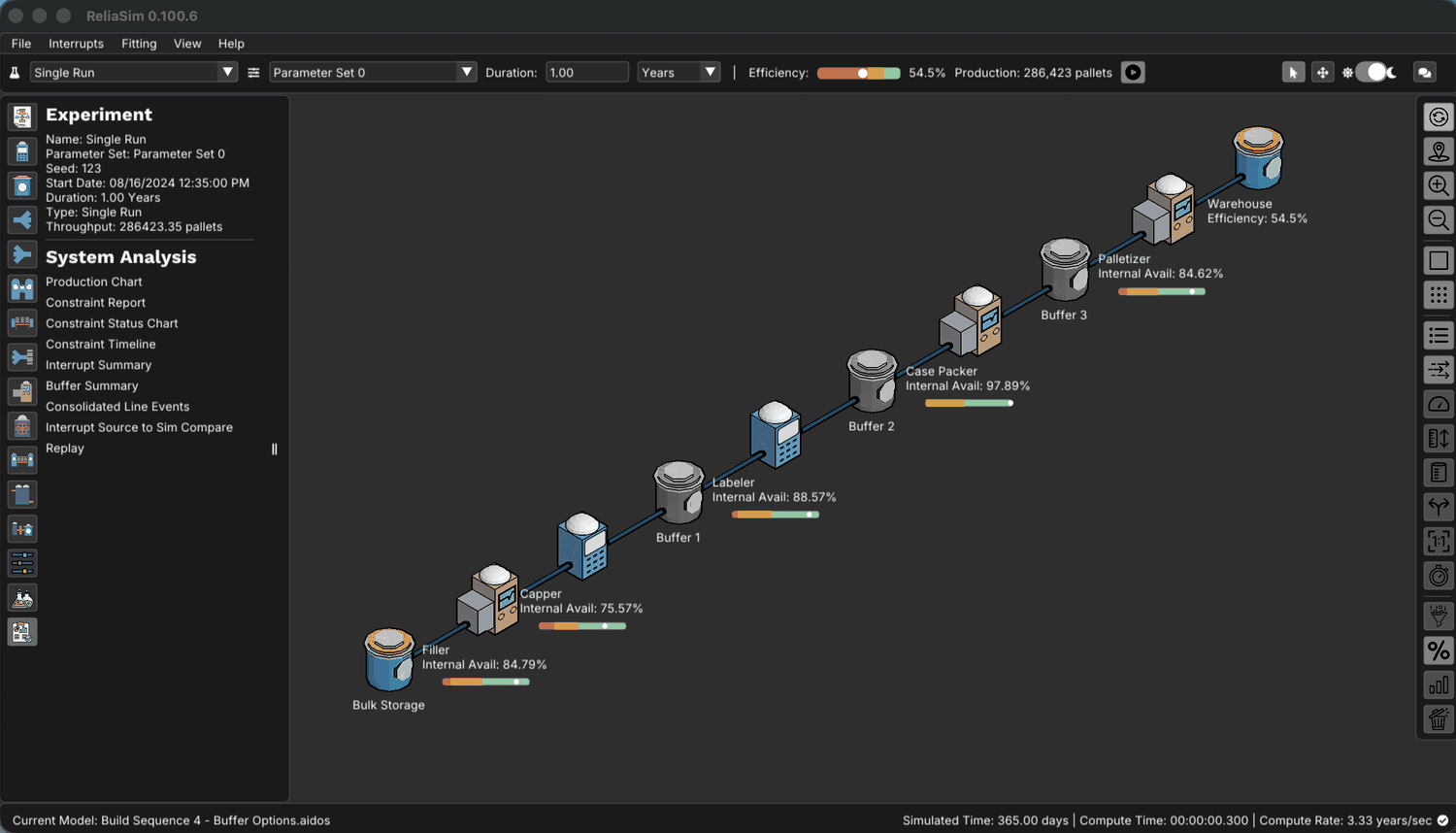
Most simulation was built for discrete assembly, where every item is tracked as its own entity. Point that at a filler running hundreds of units a minute and the model becomes slower than the line it describes.
"For years, simulation has worked well in discrete industries like automotive, where each piece of material is treated as an entity. The models are based on item architecture, which is all about pieces and parts. But if you apply that to food production, the model will take longer to run than the actual product, which would make it useless."
— Andrew J. Siprelle, founder, in Food Engineering
The answer was to model flow instead of items. That rate-based architecture suits high-speed packaging and continuous process, and Fortune-listed companies have trusted it for decades. It’s why the sweeps on the Methodology page finish in seconds instead of overnight, and why a statistical answer is affordable at all.
A thousand one-year runs of the five-machine bottling line finish here in about two and a half minutes on a laptop, measured at 0.154 seconds per simulated year. When the published WSC 2020 model was rebuilt in ReliaSim and validated within 1%, the original ExtendSim version of that model ran about 1200× slower. Both ran on the same laptop, for the same one-year simulation. At that rate a single one-year run takes roughly three minutes, and a thousand runs would still be going two days later.
Both tools model the same line, and the answers aren’t different. The difference is that one lets you ask a thousand questions before the meeting, and the other makes you pick three and defend the choice.
The nodes a model is built from
A production graph is built from three constructs. The list is short on purpose. A small, opinionated vocabulary is easier to reason about, and it makes a model something you can still read a year later.

Constraint
A unit operation with a rate limit and its own reliability. It runs at its nominal rate until something interrupts it, and it blocks or starves its neighbors when it can’t keep up.
On the bottling line: the capper and the labeler.
Converter
Changes the unit of flow. Material arrives measured one way and leaves measured another, and the conversion ratio stays in equilibrium across the change.
On the bottling line: the filler turns liquid into filled bottles, the case packer turns bottles into cases, the palletizer turns cases into pallets.

Buffer
Accumulation between operations. A buffer decouples what’s upstream from what’s downstream, so one machine’s stop doesn’t immediately become everyone’s stop.
On the bottling line: bulk storage ahead of the fillers, and the warehouse after the palletizer.
Every constraint and converter carries its own interrupt signature, which is where the reliability data lands. It has multiple failure modes per unit operation, with a time-to-failure and time-to-repair distribution for each. The signature lets blocking and starving emerge from the model instead of being assumed, and the dominant cause of failure is resolved during simulation.
The science of continuous improvement
Most improvement plans are a list of projects someone ranked by judgment, tried one at a time on the plant floor. ReliaSim runs fast enough to try every option in the model first, so the plan comes from experiments rather than opinion.
✓ Gain/Loss: what to fix first
Rank failure modes by the output a fix gives back, not the minutes they cost. On the demo bottling line, the Labeler’s misalignment and the Filler’s micro stops cost almost the same time, but fixing the micro stops gives back about 60% more output.
Try it: what should we fix first? → · Guide
✓ Buffer Sizing Experiment
Size every buffer on the line together, in every combination. On the demo bottling line that is three buffers at eleven sizes each, a full design of experiments: 1,331 runs of 90 days. You see where storage pays, where it does nothing, and how much is enough before you pour concrete. On that line, one 50-case buffer before the Palletizer lifts efficiency from 54.3% to 60.1%.
Try it: where should the buffer go, and how big? → · Guide
✓ Improvement Roadmap
Which fixes, in what order, to reach your target. The roadmap comes from engine runs on the model, not judgment. On the demo line, seven fixes take it from 54.3% to 85.2% with no capital spent. Of 2,000 seven-fix plans picked at random, none reaches 85%; the best gets to 79.8%. Spend capital on one buffer, 100 cases before the Palletizer, and five steps get there: the buffer and four fixes.
Try it: the Improvement Roadmap → · Guide
What that gets you
✓ Pre-Built Components
Modular, reusable constructs (Constraints, Converters, and Buffers) let you build production models quickly, with rate control and accumulation behavior built in.
✓ Reliability-Focused Design
Built-in reliability interrupts with multiple failure modes per unit operation drive high-fidelity behavior, using competing, cumulative, and wall-clock criteria.
✓ No-Code Model Building
You don’t need drag-and-drop. Models are built from text-based markdown and click-connect, so they diff and version like source code.
✓ Unit Conversions
Flow stays in equilibrium automatically through unit conversions at any stage in the process, and you can add in-line additions or losses if you need them.
✓ Model-Literal Animation
Every run produces its own animation automatically. Playback and scrub controls let you review all nodes' states through time.
✓ ReliaDB
The database behind every model. Your rates, products, changeovers and stop data live in tables, and parameter sets are generated from them, one per product or configuration. Migrating a model starts here.
Your data never leaves your network. Models, historian extracts and results all stay inside your firewall, and nothing but license and version checks crosses the internet. The full posture is on the security page.
Now see it on your line
The bottling-line models in the Sandbox’s Lines tier run in the browser, with the engine’s saved results for each and no download or license. It’s the fastest way to judge whether this approach fits the way your plant actually behaves. If you’d rather start from the method, the three-step sequence walks Build, Validate and Predict end to end.